How to improve your vacation rental listing and get more bookings
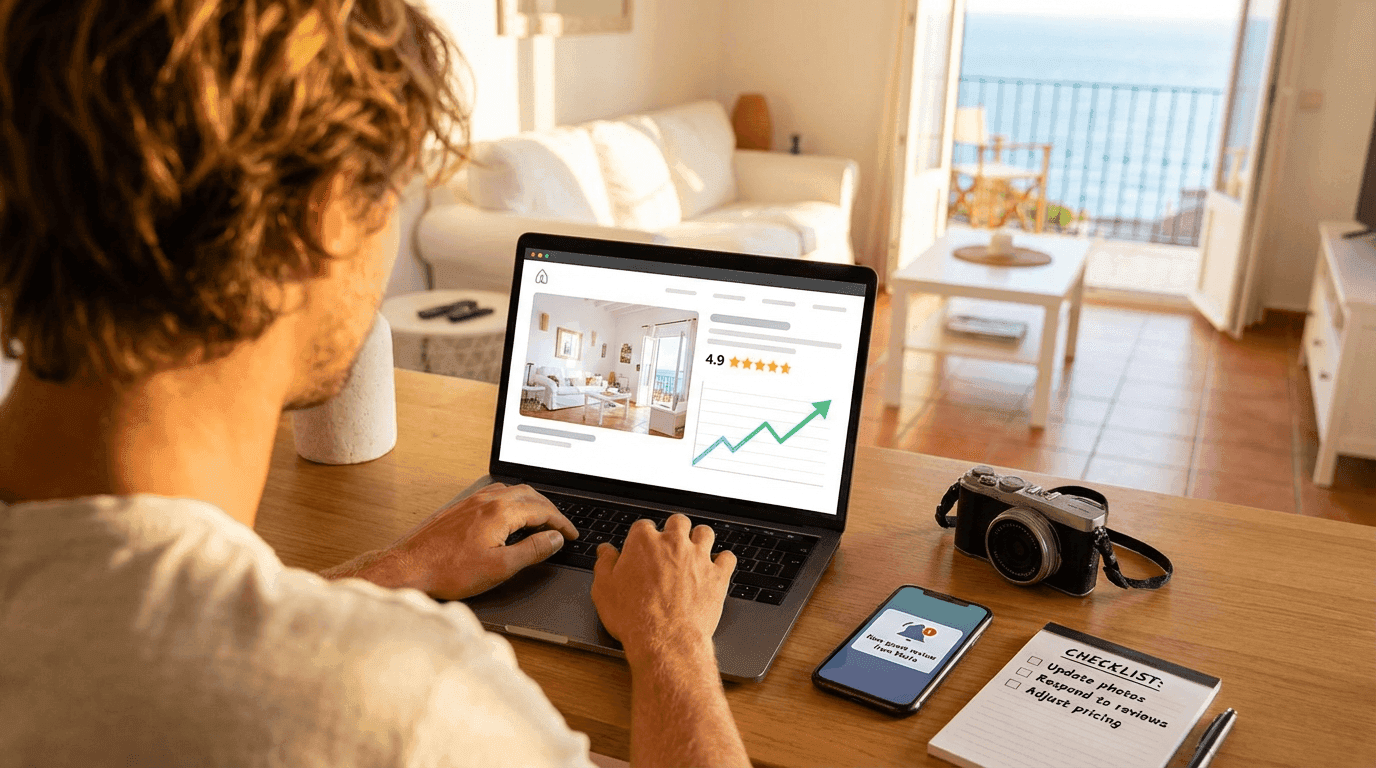
To get more bookings, optimize your listing on every front: professional photos that show the real space, a specific title with location and differentiator, a description that answers questions before they're asked, competitive pricing with seasonal strategy, and a steady flow of reviews. There's no single trick — it's the sum of many details done well.
Listing your property on a platform is easy. Getting someone to book it among hundreds of similar options is a different story. The difference between a listing that generates steady bookings and one that collects digital dust is rarely the property itself — it's how you present it.
This guide covers every lever you can pull to make your listing work harder for you.
Photography: the first thing that sells (or scares away)
Photos are the number one factor in a traveler's decision. This isn't opinion — platforms confirm it with data. A listing with professional photos gets significantly more clicks and bookings than one with poorly lit phone snapshots.
What works
- Natural light. Shoot during the day with curtains open. Natural light makes spaces look bigger, cleaner, and more inviting. Avoid direct flash — it flattens everything and creates harsh shadows.
- Wide angles. Use a wide-angle lens or your phone's panoramic mode to capture full rooms. The traveler wants to understand the space, not see a close-up of a cushion.
- Spotless order. Before shooting, remove personal items, loose cables, visible cleaning products. Less is more. Think about how a hotel presents itself — neutral, clean, welcoming.
- Every room counts. Photograph all bedrooms, bathrooms, kitchen, terrace, views, common areas if applicable. A traveler who doesn't see a bathroom photo assumes there's something to hide.
- Details that add up. A set table, a neatly folded towel, a plant on the terrace. These small touches convey care and attention.
- Exterior and surroundings. The building facade, the street, the nearby beach, the neighborhood. The traveler isn't just booking an apartment — they're booking a location.
What to avoid
- Dark, blurry, or over-filtered photos
- Images that don't match reality (this generates negative reviews)
- Too many photos from the same angle
- Photos with recognizable people (privacy issues)
- Screenshots or photos of photos
Is a professional photographer worth it?
Almost always yes. A professional session costs between €100 and €300 and the photos last for years. If you divide that cost by the additional bookings they generate, the investment pays for itself in the first or second extra booking. Airbnb even offers free or subsidized photography services in some areas.
If you can't afford a photographer right now, use a recent smartphone with a good camera, a cheap tripod, and natural light. It's better than nothing, and much better than rushed photos.
The title: your first (and sometimes only) chance
The title is what appears in search results next to the main photo. You have about 50-60 useful characters before it gets cut off. Every word counts.
Anatomy of a good title
An effective title includes three elements:
- Property type — apartment, house, penthouse, studio, villa
- Location or reference — neighborhood, beach, city center, well-known area name
- Differentiator — terrace, sea views, pool, newly renovated, parking
Examples that work:
Penthouse with terrace and sea views — BarcelonetaRural house with private pool — Sierra de GrazalemaNewly renovated central studio — Malasaña, Madrid
What to avoid in the title
- Excessive capitals or exclamation marks (
INCREDIBLE APARTMENT!!!) - Empty adjectives with no backing (
Wonderful,Spectacular,Unique) - Irrelevant information (
Ref. 4523-B) - Generic titles that say nothing (
Nice apartment in good area)
Travelers scan dozens of results in seconds. Your title needs to communicate concrete value instantly.
The description: answer questions before they're asked
A good description isn't a literary text — it's a sales tool that reduces friction. A traveler who has to message you to ask something basic is a traveler who'll probably book somewhere else where the information was already clear.
Structure that works
Organize the description in clear blocks:
- Opening summary (2-3 sentences). What the property is, where it is, who it's ideal for. This paragraph appears in the preview — it needs to hook.
- The space. Square meters (or reference), layout, number and type of beds, real capacity. Be honest — if the sofa bed is uncomfortable for adults, don't count it as a double bed.
- Key amenities. WiFi (and speed if it's good), air conditioning, heating, washing machine, dishwasher, equipped kitchen, TV. List what's there, not what's missing.
- Outdoor space. Terrace, balcony, garden, pool, parking. With dimensions or context if relevant.
- The neighborhood. What's nearby: supermarkets, restaurants, public transport, beach, attractions. Concrete distances, not
a few minutes away. - Logistics. How check-in works, whether there's an elevator, pet policy, noise policy, community rules.
Writing tips
- Use short sentences and brief paragraphs. Nobody reads dense text blocks on a phone.
- Be specific.
300 Mbps WiFiis better thanfast WiFi.200 meters from Malvarrosa beachis better thanclose to the beach. - Anticipate objections. If the apartment is a fifth-floor walk-up, mention it yourself first — with context (
fifth floor without elevator, but the views make up for it). The traveler will find out anyway; better it comes from you. - Update the description with the seasons. If you have fans but no AC in summer, say so. If the gas heating works well in winter, mention it.
Pricing: the balance between occupancy and profitability
Price is, alongside photos, the factor that most influences the booking decision. But setting prices isn't about picking a number and forgetting it — it's an ongoing strategy.
Base price
Research what similar properties in your area charge. Platforms usually have comparison tools (Airbnb has Smart Pricing, Booking has Rate Intelligence). Use them as reference, not as gospel.
Your base price should cover:
- Fixed costs (mortgage, community fees, insurance, utilities)
- Variable costs (cleaning, laundry, consumables)
- Platform commissions
- A reasonable margin
Seasonal strategy
Don't charge the same in August as in February. Demand fluctuates and your price should reflect it:
- High season: raise prices 20-40% above your base. Demand absorbs the increase.
- Mid season: keep your base price or adjust slightly.
- Low season: drop 10-25% to maintain occupancy. A night at a reduced price is better than an empty night.
- Local events: festivals, conferences, holidays. Identify the key dates in your area and adjust upward.
Minimum stay
A minimum stay of 2-3 nights reduces your operational load (fewer turnovers, fewer cleanings) and attracts travelers who spend more per stay. But if your area has strong one-night demand (cities with weekend tourism), being flexible can pay off.
Length-of-stay discounts
Offering a 10-15% discount for weekly stays or 20-25% for monthly ones is a proven strategy. You reduce turnover, secure income, and the traveler feels they're getting value.
Cleaning fees
Some platforms let you charge cleaning separately. This can make your nightly rate look more competitive, but be careful: a high cleaning fee discourages short stays and can make the total price less attractive than it appears.
Reviews: the silent engine of bookings
Reviews are your social proof. A listing with 50 reviews at 4.8 stars converts much better than an identical one with no reviews. You can't control what guests write, but you can massively influence the experience that generates those reviews.
How to get more reviews (and better ones)
- Exceed expectations in the small things. A bottle of water in the fridge, a neighborhood map with your recommendations, a personalized welcome message. These details cost pennies and generate five-star reviews.
- Proactive communication. Message the guest before arrival with useful info (how to get there, access code, recommendations). During the stay, a brief message asking if everything's okay. On departure, thank them for staying.
- Solve problems fast. A dripping tap or failing WiFi doesn't ruin a stay if you fix it within hours. What ruins the review is the lack of response.
- Ask for the review. Not aggressively, but directly. A post-stay message like
If you enjoyed your stay, a review really helps usworks surprisingly well. - Respond to all reviews. Positive and negative. Responses to negative reviews are especially important — future guests read them to see how you handle problems.
Managing negative reviews
They will come. What matters is how you respond:
- Thank them for the feedback
- Acknowledge the problem if it's legitimate
- Explain what you've done to fix it
- Don't get defensive or blame the guest publicly
A professional response to a negative review can generate more trust than ten unanswered positive reviews.
Response speed: the invisible factor
Platforms reward hosts who respond quickly. Airbnb shows your average response time on your profile. Booking penalizes slow responders in search rankings.
Beyond the algorithm, a traveler who asks a question is usually comparing two or three options. The first one to respond has a real advantage.
- Turn on mobile notifications
- Use saved replies for common questions (how to get there, check-in time, pet policy)
- If you can't respond immediately, a brief message (
Thanks for your message, I'll get back to you in detail within an hour) is better than silence
Calendar and availability: signals for the algorithm
An updated calendar doesn't just prevent overbookings — it also sends positive signals to platforms:
- Keep the calendar current. Block dates that aren't available. A calendar with many unblocked gaps confuses both the algorithm and the traveler.
- Accept bookings well in advance. Having the calendar open 6-12 months out positions you for early bookings, which tend to be higher value.
- Instant booking. If the platform offers it, turn it on. Listings with instant booking get more visibility in search results because they reduce friction for the traveler.
- Sync calendars. If you list on multiple platforms, use a channel manager or iCal sync to avoid double bookings. An overbooking isn't just an operational problem — it's a near-guaranteed negative review.
Host profile optimization
Your profile as a host also influences the traveler's decision:
- Real photo. A photo of you (not a logo, not a landscape) builds trust.
- Brief description. Who you are, why you rent, what you like about the area. You don't need a resume — just humanize the experience.
- Verifications. Complete every verification the platform offers (identity, email, phone). Each verification is a trust signal.
- Superhost / Preferred Partner. If the platform has recognition programs, actively work toward them. The Superhost badge on Airbnb or Preferred Partner on Booking increases visibility and conversion rate.
Extras that make the difference
Some elements that aren't mandatory but separate listings that convert from those that don't:
- Digital local guide. A document or link with your favorite restaurants, beaches, routes, supermarkets. Guests value this enormously and mention it in reviews.
- Flexible check-in. If you can offer self check-in with a smart lock or key box, you expand your market to travelers arriving at unusual hours.
- Thoughtful amenities. USB chargers, plug adapters, quality shampoo, basic coffee and tea. Small investments with big returns in perception.
- Balanced cancellation policy. A policy that's too strict scares off bookings. One that's too flexible exposes you to last-minute cancellations. Find the middle ground for your market.
Check-in as part of the experience
The check-in process is the guest's first real contact with your property. If it's chaotic, slow, or confusing, the first impression is already damaged — and that shows up in reviews.
A well-designed check-in:
- Sends clear instructions before arrival
- Lets the guest complete guest registration before arriving (no paperwork at the door)
- Offers self-access if you can't be present
- Includes a brief welcome with the essentials (WiFi, trash, emergency contact)
Autoregistro fits exactly here. The guest receives a link before arriving, completes their details and signs from their phone, and you comply with guest registration without turning check-in into a bureaucratic ordeal. The result is a clean, professional first impression — exactly what generates good reviews.
Measure, adjust, repeat
Optimizing a listing isn't a one-afternoon project — it's an ongoing process. Platforms offer data you should review regularly:
- View rate. How many people see your listing? If it's low, the problem is in the title, main photo, or price.
- Conversion rate. How many of those who view your listing book? If it's low, the problem is in the description, interior photos, reviews, or conditions.
- Occupancy rate. How many nights per month are occupied? If it's low, review pricing and minimum stay.
- Average rating. Is it above 4.5? If not, identify patterns in negative reviews and act.
Make one change at a time and give it time to measure the impact. Changing photos, price, and description all at once prevents you from knowing what worked.
Summary: the checklist
If you had to prioritize, here's the order of impact:
- Professional photos with natural light and all spaces covered
- Specific title with property type, location, and differentiator
- Structured description that answers questions before they're asked
- Competitive pricing with seasonal strategy
- Steady flow of positive reviews
- Fast response to inquiries
- Updated calendar and instant booking enabled
- Complete and verified host profile
- Professional, frictionless check-in
- Regular review of metrics and adjustments
None of these points is revolutionary on its own. But executed together and consistently, they're the difference between a listing that generates steady income and one that competes for scraps.
Related posts
Platforms to promote your vacation rental: options, differences, and how to choose
Practical breakdown of the main platforms for listing tourist properties — Airbnb, Booking.com, Vrbo and more — with their pros, costs, and what each one means for property managers.
How to automate check-in for your Spanish vacation rental
Discover how self-service guest registration can save you hours every week while keeping your vacation rental compliant with Spanish law.
Ready to automate your guest registration?
Create your account and start streamlining SES Hospedajes compliance for your Spanish rentals.
Get started